The best 3D scanner is not automatically the one with the smallest advertised millimeter number. Object size, surface behavior, tracking, working distance, software, calibration and the downstream workflow matter just as much.
Define the use case first
Scanning a figurine is a different task from reconstructing a 300 mm automotive trim panel. Define at least three real objects: smallest, typical and largest. Add surface notes such as matte, black, glossy, transparent or feature-poor.
Accuracy, resolution and volumetric accuracy
Resolution describes sampling detail. Local accuracy describes error in a limited region. Volumetric accuracy becomes more important as object size and accumulated alignment distance increase. Creality currently specifies up to 0.02 mm accuracy in Raptor Pro laser modes and 0.02 mm + 0.08 mm/m volumetric accuracy, showing why one headline number needs context.
Blue laser, NIR and structured light
Current handheld scanners use blue laser lines, near infrared/structured light, or both. Blue laser modes are often strong for edges, detail and difficult technical surfaces. NIR modes are convenient for larger areas, bodies and organic shapes.
| Technology | Strength | Trade-off |
|---|---|---|
| Blue laser | detail, edges, dark/metal parts | often more marker work, smaller FOV |
| NIR / structured light | large areas, bodies, fast capture | feature-poor/reflection issues remain |
| Hybrid | detail and large-area modes | higher cost and complexity |
Object size and field of view
A scanner optimized for miniatures is not automatically comfortable on bumpers or full bodies. Too small a field of view forces many overlapping passes and can increase drift; a large-area mode may miss a tiny groove or clip.
Tracking defines everyday usability
Handheld scanners must continuously estimate pose. Smooth cylinders, symmetry and repeated patterns provide few unique cues. Shining 3D explicitly recommends markers for feature-poor or repetitive objects.
Black and metallic surfaces
Modern systems are much better on dark materials. Creality markets Otter and Raptor Pro for black/metal objects without spray, but piano-black gloss, chrome and glass remain separate optical challenges.
Software is half the system
Look for clear distance/tracking feedback, multiple alignment modes, multi-scan registration, point-cloud and mesh editing, controlled hole filling, adjustable mesh density, standard exports and reliable updates.
Plan for scan-to-CAD
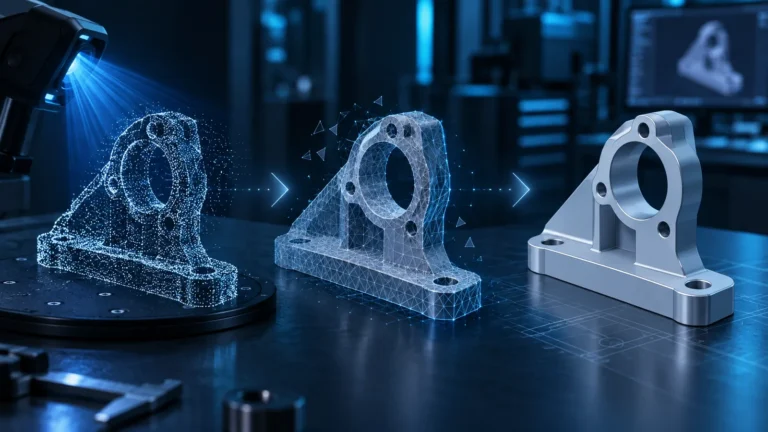
A scanner does not automatically create a clean parametric STEP model. Autodesk’s current guidance still describes manual or semi-manual reconstruction for accurate editable CAD from real scan data.
What “up to 0.02 mm” actually means
The phrase “up to” matters. Accuracy values are measured under controlled conditions using defined targets. Real workshops add temperature variation, calibration state, vibration, working-distance errors, poor overlap, weak marker geometry and difficult reflections.
For engineering work, repeatability matters as much as a best-case number. If three scans of the same part disagree in the same region, the brochure value is not solving the real problem. Compare known reference dimensions and, when possible, repeated scans.
Calibration is often missing from buying guides
An optical scanner is a calibrated camera/projector measurement system. Good products provide a calibration target and guided routine. Recalibration can be sensible after a hard impact, significant environmental change or when the software reports a need for it.
Calibration and tracking are different: a well-calibrated scanner can still lose pose on a smooth symmetric part, while a badly calibrated scanner may track beautifully and consistently produce wrong geometry.
Computer performance and data rate
High frame rates and millions of points per second create heavy processing loads. The software must solve frames, align them, filter data and render a live model. A powerful scanner on an underpowered laptop can be less usable than a slower unit on suitable hardware.
Check current CPU, RAM, GPU, USB and operating-system requirements. Mobile support may also differ by mode; some advanced functions remain desktop-only.
Do not choose by minimum object size alone
A listed minimum object size does not guarantee that every tiny groove, hole or reflective edge will be captured reliably. Very small engineered parts may be better served by desktop scanning, photogrammetry, manual measurement or direct CAD.
Three practical questions before buying
- Can it capture my typical surface without coating every project?
- Can it reliably reacquire tracking after a loss?
- Can the software produce data my actual CAD/printing workflow can use?
Choosing a scanner in 2026 means comparing a complete system
Modern handheld scanners increasingly blur the old categories. Current Creality devices combine blue-laser and NIR workflows, while other systems focus on wide-area structured light. The useful question is therefore not simply “laser or infrared?” but which mode solves your normal objects reliably, how quickly you can switch between broad capture and detail work, and whether the software can align multiple projects without destroying useful geometry.
A practical comparison should use the same five jobs: a small engineered part with holes, a larger matte freeform object, a black component, a feature-poor surface and a shape with undercuts. Data-sheet numbers become meaningful only after the workflow succeeds on representative objects.
Working distance, field of view and physical access
Working distance is not just a comfort specification. It controls how much room you need around the object and how much surface is visible per frame. Creality documents different working ranges for blue-laser and NIR modes on the Raptor family. A mode that is excellent for fine mechanical detail can therefore be awkward inside a vehicle interior or deep pocket, while a wide NIR view may cover a large trim panel efficiently.
Software features that should affect the buying decision
- Quality Map to reveal weak coverage while you can still rescan it.
- Manual exposure control for small, dark or reflective parts.
- Global Marker Scan for a stable reference framework on larger objects.
- Local Detail Scan so the whole project does not need maximum density.
- Repeatable fusion with different resolution/noise settings.
- Multi-project alignment for undersides, cavities and complex parts.
Computer hardware is part of the scanner package
High-resolution laser projects can create very large point clouds. Creality’s current performance guidance recommends substantially more RAM for Raptor/Sermoon laser workflows than for simpler NIR projects; 32 or 64 GB can be reasonable for complex work. Mobile scanning must also be checked mode by mode because PC and phone workflows are not always identical.
How LayerCompass evaluates scanner information
We separate manufacturer specifications, current software documentation and real-world practice. Manufacturer sources define supported modes and system requirements. Practical creators such as Payo / Tensile Creator are particularly useful for observing marker workflows, tracking recovery and scan-to-CAD on real engineering jobs. Practical observations do not replace controlled measurement claims, so we keep those evidence types separate.
Conclusion
A good 3D scanner fits the workflow, not the brochure. For technical parts, distinguish a visually attractive mesh from a controlled CAD reconstruction.
Sources & current status
- Creality Wiki
- Creality Wiki
- Creality Wiki – 3D Scanner Support Center
- Payo / Tensile Creator – practical 3D scanning & reverse engineering
- Creality Raptor Pro – official product data
- Creality CR-Scan Otter – official product data
- Shining 3D – Scan Preparation
- Autodesk – Reverse engineering of 3D scan into CAD
Updated August 2026.
Frequently asked questions
How accurate should a 3D scanner be for replacement parts?
Headline accuracy is not enough. Volumetric accuracy, tracking, calibration, surface preparation and the CAD workflow all affect a functional result.
Is laser better than infrared?
Neither is universally better. Laser is often strong on technical detail; NIR/structured light is efficient on larger or organic objects.
Do I need an expensive scanner?
Not always. General shape capture can work with lower-cost hardware; precision reverse engineering benefits more from stable calibration and strong software.