
From a real part to a printable digital model.
A focused specialist area: understand scanners, capture clean data, process meshes and continue in CAD when needed.
Focus areas
Topics are organized by practical value and current workflows — not by an outdated 3D-printing encyclopedia.
Choose a 3D scanner
Weight technology, object size, accuracy, tracking and software before buying.
Open guide → FundamentalsLaser vs. IR
Match the scanning method to object size and surface.
Open guide → PracticalUsing markers
When markers help, useful spacing and why tracking fails.
Open guide → PracticalBlack & glossy surfaces
Handle difficult surfaces, scan spray and capture strategy.
Open guide → WorkflowClean up meshes
Remove holes, artifacts and unnecessary geometry before CAD or printing.
Open guide → AdvancedScan → CAD
Turn scan geometry into controllable CAD features for reverse engineering.
Open guide → WorkflowScan → print
Know when a mesh is directly printable and when cleanup is worth the effort.
Open guide →Latest guides
Recently published content in this area.
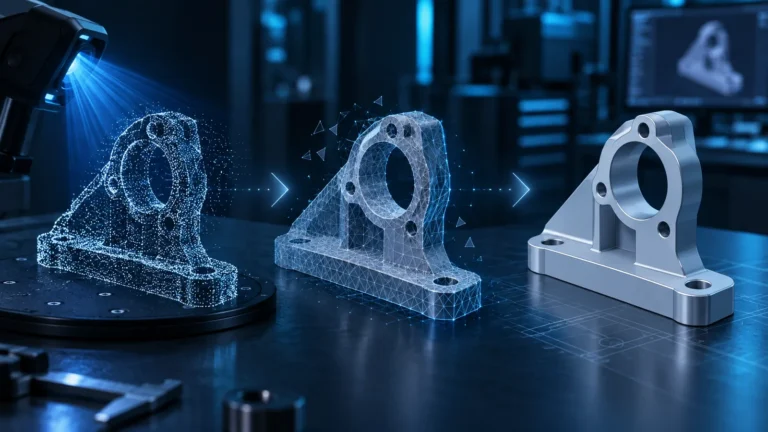
3D Scan to CAD: Convert a Mesh into an Editable STEP Model
3D scan to CAD done properly: why Mesh-to-Solid is not automatically clean CAD and how to reconstruct a scan into an editable…

3D Scan to 3D Print: A Reliable Scan-to-Print Workflow
When a scan can go straight to the slicer, what to check in the mesh and when CAD is the better route.
Reverse Engineering in Fusion: Rebuild a 3D Scan as Editable CAD
Rebuild a scan mesh as editable Fusion sketches and CAD features: units, references, sections and functional checks.
3D Scan to Clean Mesh: Point Clouds, Cleanup & Repair
Clean a point cloud and reconstruct a checked mesh: CloudCompare commands, normals, missing data and scale checks.

3D Scanning Markers: Placement for Stable Tracking Without Drift
How to place 3D scanning markers: distribution, field of view, size and common tracking mistakes.

How to 3D Scan Black, Shiny & Transparent Objects
Why black plastic, gloss, chrome and transparent objects cause scan failures — and when angle, markers or scan spray help.