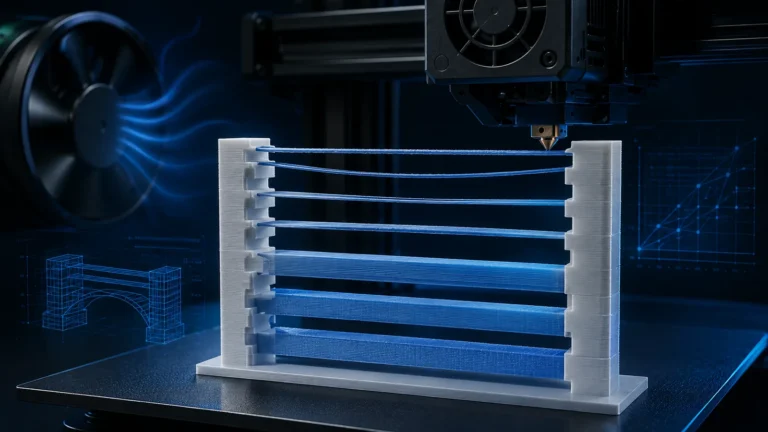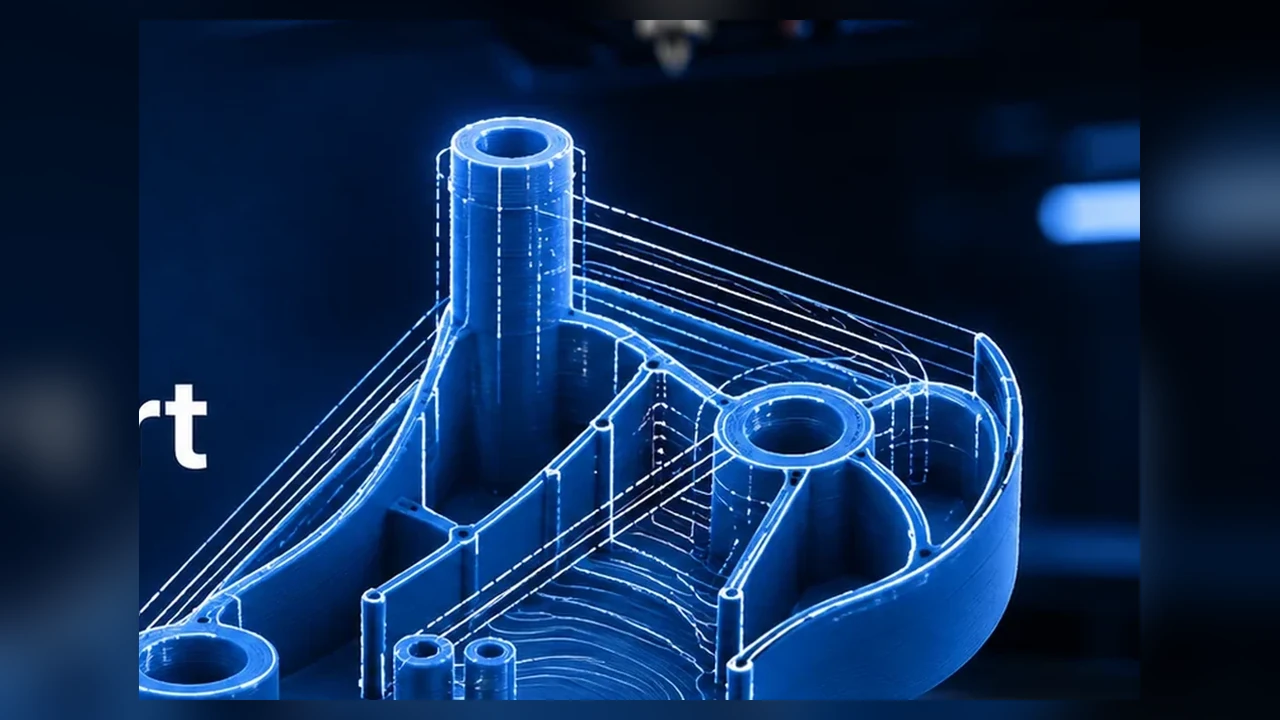
OrcaSlicer offers Arachne and Classic wall generators. Arachne is not simply a “higher quality mode.” It uses a different toolpath strategy in which extrusion width can vary dynamically to follow local geometry.
This can help with thin walls, lettering, ribs and transitions between different wall counts. But Arachne is not automatically better for every model. OrcaSlicer notes that it can improve small details while large prints can sometimes show defects related to reduced or varying wall width.
The problem with fixed line widths
A real wall thickness rarely matches an exact multiple of nominal line width. A 1.0 mm wall with 0.45 mm lines cannot be filled perfectly by either two or three identical lines. Classic must use gap fill, fewer walls or discrete transitions. Arachne can vary neighboring line widths to use the available space more effectively.
What Arachne actually changes
Your configured line widths remain reference values. Arachne can deviate within its limits to follow contours and transition more smoothly between wall counts. It does not make the nozzle physically smaller.
Arachne vs. Classic at a glance
| Situation | Arachne | Classic |
|---|---|---|
| thin text/ribs | often better | may omit details or use gap fill |
| changing wall thickness | flexible transitions | more discrete wall counts |
| large simple outer wall | width variation can become visible | often very predictable |
| complex geometry | often uses space better | useful A/B baseline |
Thin features and Detect Thin Walls
OrcaSlicer commonly recommends Arachne for small details. Detect Thin Walls is not used in the same way with Arachne because thin geometry is handled through variable extrusion widths. Classic can use a separate thin-wall detection path.
Less gap fill does not guarantee shorter print time
Arachne can reduce separate gap-fill lines, but complex variable-width toolpaths may also add segmentation. Use the preview rather than assuming it is faster or slower.
Why smooth outer walls can reveal Arachne changes
When line width varies within an outer wall, local flow and path geometry vary too. Under some lighting this can create subtle surface variation. Recent OrcaSlicer releases continue to improve Arachne quality and expose advanced parameters for difficult cases.
Advanced Arachne settings
Maximum Wall Resolution and Maximum Wall Deviation
OrcaSlicer 2.4.0 exposed two Arachne limits that had previously been internal: Maximum Wall Resolution and Maximum Wall Deviation. Orca documents them as Expert settings originating from PR #11925, intended for cases where Arachne’s default path simplification can introduce visible artifacts on fine contours compared with Classic.
| Setting | What it limits | Lower value | Higher value |
|---|---|---|---|
| Maximum Wall Resolution | smallest wall segment retained during path simplification | keeps more short segments and detail | simplifies paths more aggressively |
| Maximum Wall Deviation | maximum allowed geometric error from the original contour | keeps the path closer to the model | allows more simplification |
Current OrcaSlicer documentation lists a 0.005–0.5 mm range for Maximum Resolution with a default of 0.5 mm, and 0.005–0.05 mm for Maximum Deviation with a default of 0.025 mm. If the two constraints conflict, Maximum Deviation takes precedence, so the wall path is not allowed to exceed the geometric error limit merely because Resolution would allow stronger simplification.
What lowering the values actually changes
Arachne creates variable-width wall paths and then simplifies them so every microscopic geometry change does not become a chain of tiny machine moves. Lower Maximum Resolution values retain more short segments. Lower Maximum Deviation values reduce how far the simplified path may move away from the intended contour.
This can improve fine curves, lettering edges and high-detail surfaces. The trade-off is real: more segments mean larger G-code, more complex motion and longer slicing time. Extremely low values are therefore not a free “quality mode”.
Why 0.005 mm is not a universal best value
The Orca 2.4.0 release material demonstrates very low values because they improved a specific reproducible Arachne artifact. That does not make the minimum values a sensible global preset. 0.005 mm is far below the repeatable surface-resolution capability of many FDM machines, while still increasing the number of path segments the motion system must execute.
A straight functional enclosure may show no useful improvement at all. A detailed curved design, logo or fine lettering can be a very different case.
A practical A/B workflow for the new controls
- Reproduce the issue with Arachne defaults on the critical geometry.
- Slice Classic as a control. If Classic is visibly cleaner, the wall-generator/path simplification is a stronger suspect than a general mechanical defect.
- Change one constraint first: reduce Maximum Wall Resolution in controlled steps and compare preview plus slicing time.
- Tighten Deviation only if needed: reduce Maximum Wall Deviation when the contour is still being simplified too visibly.
- Validate the real print: a more detailed preview is not enough by itself.
Maximum Resolution is not STL resolution
The name is easy to misread. It does not increase the resolution of an STL/STEP model or invent missing geometry. It controls how strongly Arachne simplifies an already generated wall path. A coarsely tessellated mesh remains coarse.
Motion-system implications
Retaining many more short segments can change how the printer moves through a wall. Modern Klipper and current Marlin systems generally handle this well, but highly segmented paths can still produce local slowdowns or more complex acceleration behavior. Judge the result by both contour accuracy and real wall motion at printing speed.
If one Arachne region suddenly slows down or gains a different surface texture, do not immediately recalibrate Pressure Advance or Input Shaper. First compare Classic and the new Arachne simplification limits.
Line width still matters
Arachne still depends on sensible nozzle size, line width and layer height. It cannot turn an unrealistic extrusion profile into a good one.
Arachne with 0.6 mm and larger nozzles
Variable width remains useful, but the physically printable detail range shifts with nozzle size. Very small lettering or ribs can still be below a realistic extrusion width.
Wall order is a separate decision
Outer/inner wall order affects surfaces and overhang behavior independently of the wall generator. Arachne does not automatically solve issues caused by unsuitable wall order, too much flow or poor overhang settings.
When Arachne is especially useful
- small lettering and labels,
- thin ribs and functional thin walls,
- frequently changing wall thickness,
- areas with lots of gap fill,
- complex contours where Classic loses details.
When Classic deserves an A/B test
- large smooth outer surfaces with visible width variation,
- simple technical geometry with constant wall thickness,
- artifacts that appeared only after switching to Arachne,
- when predictable fixed-width paths matter more than thin-wall flexibility.
How to compare them properly
- Slice the same model with the same profile.
- Change only Wall Generator.
- Inspect wall count, gap fill and thin details in preview.
- Compare estimated time and material.
- Print a small critical section if necessary.
Common real-world cases
Arachne and dimensional accuracy
Variable line width does not automatically mean poor dimensions. The slicer still targets the model contour, and on tiny features Arachne may actually reproduce intended geometry better than Classic because the feature is not omitted.
If dimensions are wrong, check Flow Ratio, Pressure Advance, first layer and XY compensation before blaming the wall generator.
Lettering and logos
Thin strokes and small lettering are ideal examples for Arachne. If features still disappear in preview, they may simply be below the realistic range of your nozzle and material. A smaller nozzle or larger text can be more effective than advanced Arachne tweaks.
Arachne, overhangs and thin outer lines
Very narrow outer paths on an overhang have less support underneath. If an overhang becomes worse with Arachne, inspect the preview: how wide is the actual path and what is supporting it?
Why model choice changes the result
A calibration cube tells you little about thin text or organic walls. Arachne reacts to local wall thickness and contour, so compare generators on the geometry that is actually critical.
Dynamic flow still has to be accurate
Variable width means variable commanded flow. Poor Flow Ratio or Pressure Advance can therefore become more visible at transitions. Arachne may expose an existing extrusion problem rather than cause it.
A practical decision tree
- Thin features missing? Try Arachne first.
- Large smooth wall gains texture? Slice Classic as an A/B test.
- Dimensions wrong? Check flow/PA/first layer first.
- Overhang worse? Inspect line width and support in preview.
Conclusion
Arachne is a powerful modern wall generator, not a universal “better” switch. Variable widths help with thin features, changing wall thickness and gap-fill situations. Classic remains valuable for simple surfaces and predictable paths.