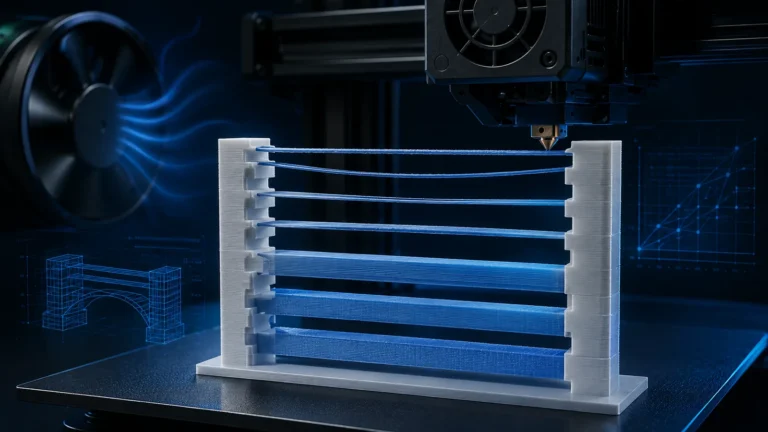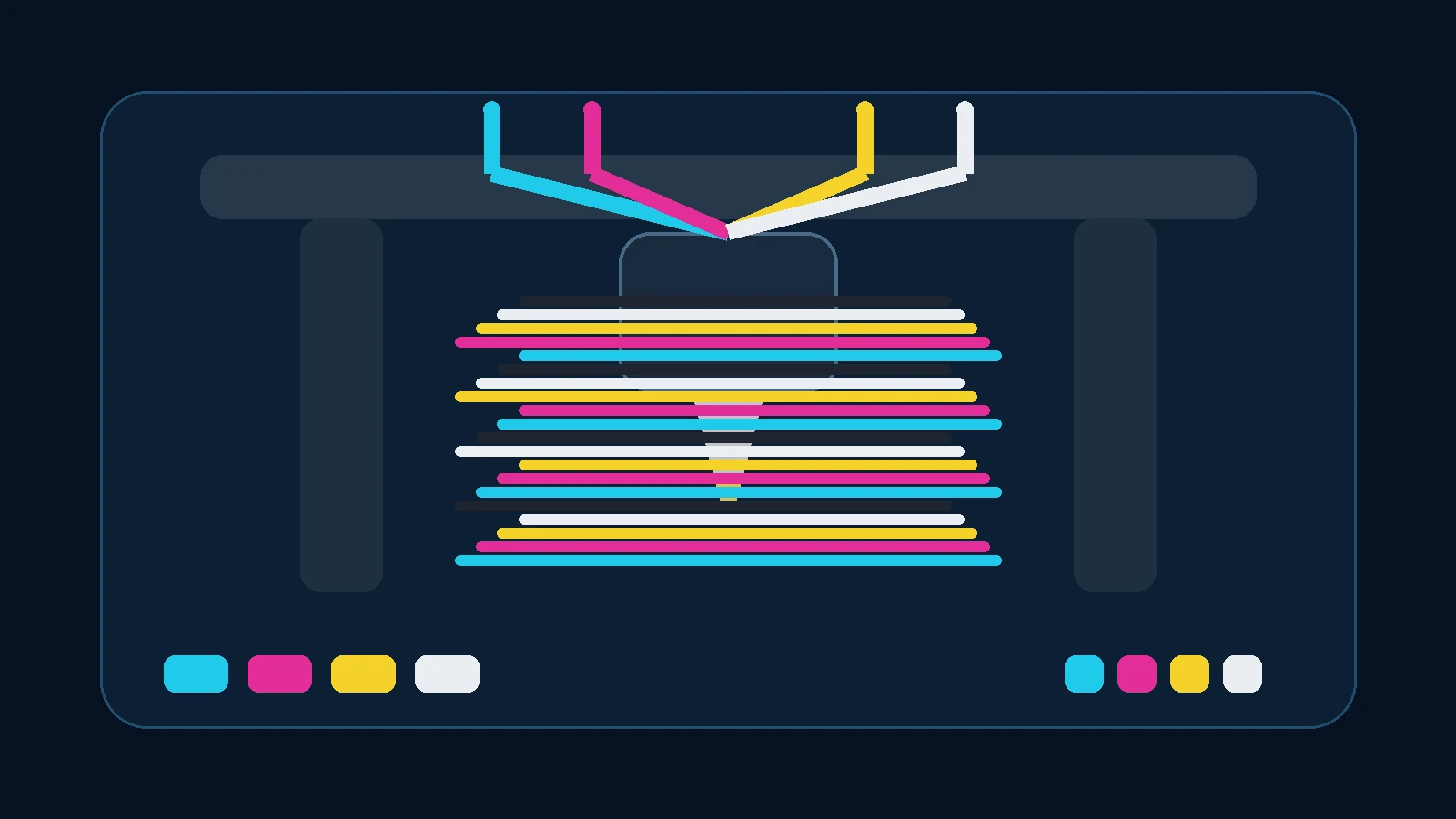
Full Spectrum and ColorMix are among the most interesting FDM developments of 2026. Instead of loading one physical spool for every visible color, the slicer can create additional apparent colors from a much smaller set of base filaments. The most popular implementations do not necessarily blend molten polymers into one perfectly homogeneous melt. Instead, they build the color optically by printing carefully controlled sequences of very thin layers or sub-layers from different filaments.
That turns ordinary multicolor printing into something different. A printer loaded with cyan, magenta, yellow and white can show far more than those four base colors. Add black as a fifth component and the practical gamut expands further. Prusa reports roughly 40 useful combinations from a CMYKW setup on a five-tool XL, Bambu Studio now includes its own experimental color-mixing workflow with decomposition and gradients, and the OrcaSlicer-FullSpectrum community keeps pushing virtual mixed filaments, dithering, bias and more advanced prediction models.
What does Full Spectrum mean in FDM printing?
In conventional multicolor printing, a model region is assigned to a physical filament. Red is red, blue is blue. Full Spectrum adds virtual colors. A virtual color can be defined as a repeating ratio of two or three physical filaments, and the slicer plans tool or filament changes so that the sequence appears as a mixed color on the visible wall.
From normal viewing distance the eye no longer resolves every single color layer individually. Reflected and transmitted light from the stacked pigmented plastic is integrated into a new apparent color. The effect becomes stronger or weaker depending on layer thickness, transparency, pigment loading and surface geometry.
This is not conventional melt mixing
Prusa ColorMix, Bambu’s current layered mixing workflow and FullSpectrum-style systems can work by alternating physical materials rather than feeding multiple filaments simultaneously into one mixing chamber. A toolchanger prints one component, swaps tools and prints the next. A single-nozzle system unloads and reloads filament through the same melt zone.
That is fundamentally different from a true mixing hotend where multiple material streams are blended inside one nozzle. Both concepts can create intermediate colors, but the hardware, purge behavior, calibration and slicing requirements are completely different.
Why CMY, CMYW and CMYKW?
Cyan, magenta and yellow are useful base colors because they can cover a wide range of visible hues. Four-filament systems often add white, which helps with light and pastel colors and provides a bright optical component. A fifth black filament improves dark and neutral shades.
| Set | Strength | Limitation |
|---|---|---|
| CMY | many colorful blends from only three spools | limited very-light and very-dark tones |
| CMYW | pastels, brightness and common four-slot workflows | no true black; dark blends may carry a color cast |
| CMYKW | broader practical gamut | requires five tools/slots and frequent changes |
| arbitrary colors | creative use of spools you already own | prediction becomes much harder |
Prusa’s current ColorMix model is explicitly not limited to CMYKW. It can predict mixes from other assigned filaments as well. The farther you move from calibrated base sets, however, the more valuable physical test prints become.
How a virtual mixed filament is created
A simple mix may alternate components 1:1. A 2:1 pattern gives one component more effective height or more occurrences in the cycle. Community implementations such as OrcaSlicer-FullSpectrum expose virtual filaments with ratio controls, dithering cadence and, in some builds, surface bias that lets one component visually dominate without changing the nominal ratio.
Dithering here means deliberately distributing colors through space or height so the eye perceives an intermediate value. The idea resembles halftone printing or pixel mixing, but FDM adds a third dimension: wall thickness, layer height and plastic transmission all influence the result.
Why near-vertical walls work best
The current layered-color approach works best on near-vertical external walls. Viewed from the side, the eye sees contributions from multiple stacked color layers. Bambu therefore warns that its experimental color-mixing feature is not ideal for strongly sloped surfaces or top/bottom surface mixing.
On a horizontal top surface, the last visible layer dominates. Lower layers may still affect the result through transmission, but much less predictably than on a vertical wall.
Model orientation becomes a color setting
This creates a new design tradeoff. A part that would normally be placed flat to minimize supports may produce better color when printed upright or at a carefully chosen angle. You now optimize two things at once:
- support use and print time,
- color rendition on the visually important faces.
This connects directly to our future guide on using model orientation to hide layer lines: with Full Spectrum, orientation also determines which mixed-color layers are actually exposed to the viewer.
Full Spectrum in Bambu Studio
Bambu Studio introduced Color Mixing as an experimental feature. Two or three filaments of the same material type can be combined into virtual mixed filaments, with both fixed ratios and a gradient mode.
The feature is evolving quickly. Later 2026 releases revised the prediction method, and Bambu Studio 2.8.1 adds Decompose Color, which can break a target color into a suitable filament combination. Support is not universal for every filament set; Bambu currently documents specific supported combinations such as CMYW and RYBW using Bambu PLA Basic for automatic decomposition.
Bambu’s layer-height starting point is not a universal recipe
For a 0.4 mm nozzle Bambu documents a starting combination including 0.12 mm base layer height and 0.20 mm mixed layer height. Treat that as a Bambu-specific starting point, not a universal Full Spectrum law. Hardware, material and the selected mixing algorithm can justify different values.
Bambu also warns against extreme layer-height ratios because very small layers can create extrusion-quality problems.
Prusa ColorMix: a printed-color model, not just an RGB average
Prusa released ColorMix in 2026 for EasyPrint and PrusaSlicer 2.9.6. The interesting part is the prediction model behind the UI. The goal is not simply to average two RGB values but to better predict the appearance of real printed pigment layers.
Prusa printed batches of base filaments and mixed test cards and measured them with a colorimeter. The model uses empirical corrections based on those physical prints. Prusa states that ColorMix slicing can be used with any printer that has multi-filament capability.
A useful finding: HueForge TD was not automatically the answer
Prusa tested transmission-distance values from the HueForge filament library as an additional model input. In their first model it did not improve prediction enough, so they kept the approach based on base colors, ratios and empirical corrections.
This is an important distinction: HueForge transmission distance and Full Spectrum color prediction are related optical problems, but they are not the same calibration problem.
OrcaSlicer-FullSpectrum: the community laboratory
The OrcaSlicer-FullSpectrum community fork — now strongly connected to Snapmaker Orca and the U1 workflow — was one of the major drivers behind the current trend. It adds virtual mixed filaments, ratios, dithering, bias and increasingly advanced prediction and gradient features.
Recent FullSpectrum builds go far beyond simple A/B layer alternation, with calibrated prediction, KM/K-S-oriented approaches, multi-filament gradients, image maps and localized surface modulation.
Full Spectrum vs HueForge
| Full Spectrum / ColorMix | HueForge | |
|---|---|---|
| Main goal | create apparent colors on 3D surfaces from fewer physical filaments | create colored image/relief prints through controlled transmission |
| Typical geometry | 3D models and near-vertical walls | flat or relief-style image objects |
| Color logic | alternating filament sequences / virtual mixed colors | height-based color changes and transmission distance |
| Hardware | multi-filament or toolchanger strongly preferred | manual changes can work |
| Main challenge | change count, prediction and surface orientation | TD calibration, height planning and image preparation |
Toolchanger, multi-nozzle or AMS/MMU: which hardware is best?
Full Spectrum can create a very high number of physical color changes, so printer architecture becomes critical.
| System | Advantage | ColorMix drawback |
|---|---|---|
| Single nozzle + AMS/MMU | widely available; existing hardware can be used | every change requires unload/load and usually purge |
| Toolchanger | fast swaps, separate melt zones, little cross-color purge | tool offsets, ooze and standby temperatures must be controlled |
| Multi-nozzle | very efficient for frequent changes | greater hardware complexity; color count limited by tools |
Bambu explicitly recommends multi-nozzle hardware over single-nozzle printers for its current Color Mixing feature because frequent changes can dramatically increase time and filament use.
If you use a single-nozzle workflow, our Purge / Prime Tower Optimization guide becomes especially relevant. With a toolchanger the focus shifts toward ooze control, standby temperature and reliable tool restart.
Why purge waste can explode
A model may visually use only two or three mixed colors while requiring hundreds of physical filament changes. In a single-nozzle melt zone, the previous color must be displaced each time. Dark-to-light transitions can require much more purge than the reverse direction.
Do not judge a Full Spectrum project by model filament alone. Inspect:
- number of tool/filament changes,
- directional purge volumes,
- prime tower material,
- heating/cooling overhead,
- real change time.
The Print Time & Filament Optimizer is useful for the broader profile, although a future ColorMix-specific estimator could go much deeper.
Color prediction: why the screen is never absolute truth
A hex value in the slicer is only a representation of desired or estimated color. Two filaments with nearly identical on-screen colors may mix very differently in plastic. Important variables include:
- pigment concentration,
- opacity and translucency,
- surface gloss,
- material type,
- layer height and line width,
- surface angle,
- lighting and viewing angle.
Prusa explicitly notes that the exact coefficients of its current model are not guaranteed to be perfect for PETG, ABS or non-Prusa PLA. Special-effect filaments such as glitter, galaxy and metallic formulations are harder because their reflectance depends strongly on orientation.
A practical calibration strategy
- Define the physical filaments correctly. Use realistic colors and the right material type.
- Print calibration cones or swatches. Compare several ratios from the same pair.
- Evaluate under controlled lighting. Phone cameras can alter white balance and saturation.
- Test difficult mixes separately. Especially dark-to-light and effect materials.
- Only then slice the final model.
A colorimeter is not mandatory for home users. It becomes more interesting for print farms, product runs or jobs where color consistency has commercial value.
Layer height: color resolution vs printability
Thinner color layers can make the alternation less visible, but they also increase the number of layers and potentially the number of tool changes. Very small sub-layers require more precise extrusion and Z motion.
There is no universal “best” value. Test:
- color uniformity,
- visible banding,
- change count,
- print time,
- surface quality.
Gradients: the next step
A gradient continuously changes the mix ratio through height or surface position. Bambu already offers a gradient mode, Prusa demonstrates ColorMix shading workflows, and the FullSpectrum fork is experimenting with multi-filament spatial gradients and localized Z cadences.
The potential is significant: figures can receive shading, enclosures can use real transitions, and decorative parts can move beyond flat multicolor regions. The price is much more complex toolpath planning.
Where Full Spectrum still struggles
- Top and bottom surfaces: layered mixing is less directly visible.
- Strong slopes: stair stepping may expose individual color bands.
- Single-nozzle systems: large time and purge penalty.
- Prediction: not every filament follows the same optical model.
- Effect filaments: silk, glitter, galaxy and translucent materials can deviate strongly.
- Functional parts: this is primarily an appearance feature; most engineering parts gain little from the overhead.
Projects where ColorMix makes sense
- figures and miniatures,
- cosplay props,
- decorative objects,
- fidgets and toys,
- signs and logos,
- design enclosures,
- colored reliefs and art pieces.
A black ASA bracket inside a machine rarely benefits. Full Spectrum should serve the design, not become an end in itself.
Our first-test workflow
- Choose a small object dominated by vertical walls.
- Use two conventional PLA filaments; avoid special effects initially.
- Create a 1:1 mix plus two nearby ratios.
- Keep purge conservative on a single-nozzle printer.
- Inspect change count and visible layer sequence in Preview.
- Print the swatch and inspect it under several lighting conditions.
- Only then adjust ratio or bias.
August 2026: ecosystem status
| Ecosystem | Status | Notable feature |
|---|---|---|
| PrusaSlicer / EasyPrint | ColorMix officially available | open-source prediction model; multi-filament printers generally |
| Bambu Studio | experimental Color Mixing, rapidly expanding | 2/3-filament mixes, gradient, Decompose Color for supported sets |
| OrcaSlicer-FullSpectrum | active community fork | virtual mixes, dithering, bias and advanced experiments |
| upstream OrcaSlicer | not the same as the FullSpectrum fork | watch integration separately |
Conclusion: Full Spectrum is more than a gimmick
Full Spectrum moves FDM from simple multicolor assignment toward actual color generation. The most important change is not that “four spools become 40 colors,” but that color itself is becoming a slicer parameter that can be modeled, calibrated and optimized.
The technology is still young. In 2026, users should expect test prints, surface-orientation limits and a potentially large change-count penalty. Toolchangers and multi-nozzle systems have a clear efficiency advantage; single-nozzle systems can participate, but they often pay for the color with purge and time.
LayerCompass will keep tracking this space, especially color calibration, FullSpectrum development, Bambu Decompose Color, Prusa ColorMix and the interaction between model orientation, layer height and toolchanger strategy.
FAQ: Full Spectrum & ColorMix
Do I need special CMYK filaments?
No. Calibrated CMY, CMYW or CMYKW sets make prediction easier, but current systems can mix other color combinations as well. The less you know about opacity and pigment behavior, the more important your own swatches become.
Can ColorMix work on a Bambu P1S or A1 with AMS?
Layered color mixing can technically be implemented on single-nozzle multi-filament systems, but it is especially change-heavy. Bambu recommends multi-nozzle hardware for its current feature because repeated unload, load and purge cycles consume time and filament. Smaller mixed regions may still be practical on AMS-style setups.
Is a toolchanger mandatory?
No, but it is often the more efficient hardware for Full Spectrum work. Separate hotends avoid fully purging one shared melt zone at every color change. In return, tool offsets, ooze and standby temperatures have to be controlled well.
Can I print any RGB or hex color exactly?
No. The achievable gamut is limited by the physical filaments you load and by their optical properties. A prediction model can find a useful blend, but an on-screen color is not a guarantee of an exact printed match.
Why do sloped surfaces often look worse?
Stair stepping exposes individual layer bands on a slope. That can turn the intended optical blend into visible stripes. Depending on the part, changing orientation can improve color more than changing the mix ratio.
Is Full Spectrum the same as mixing colors inside a mixing nozzle?
No. In the workflows covered here, color is mainly created from physically separated filament layers or sub-layers. A true mixing hotend blends material streams before they exit the nozzle.
Sources & current status
- Prusa Research: open-source ColorMix for EasyPrint and PrusaSlicer
- OrcaSlicer-FullSpectrum / Snapmaker Orca FullSpectrum on GitHub
- Bambu Studio release notes on GitHub
Status: August 2026. Color-mixing features are moving quickly; menu names, supported filament sets and hardware recommendations can change with new slicer releases.