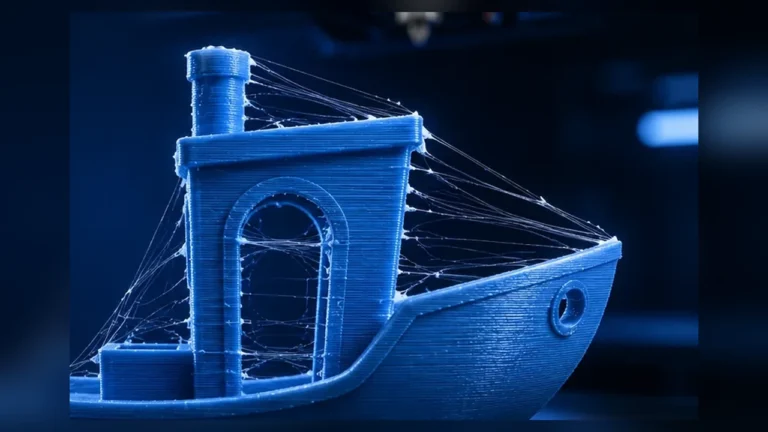
“My printer can do 500 mm/s” sounds impressive, but says little about how fast a real part can be printed cleanly with a particular filament. The limiting factor is often not motion speed but the maximum volumetric throughput of the extrusion system: Max Volumetric Speed, or MVS.
MVS describes how many cubic millimeters of plastic per second the hotend, nozzle and filament combination can melt and extrude reliably. OrcaSlicer uses it as a material limit and can reduce requested print speeds before required flow exceeds the calibrated value.
The core relationship: line width × layer height × speed
Required volumetric flow is approximately line width × layer height × speed. A 0.45 mm line at 0.20 mm layer height and 200 mm/s needs about 18 mm³/s. At 0.60 mm line width and 0.30 mm layer height, the same 200 mm/s would require 36 mm³/s.
This is why an mm/s number without layer height and line width is not very meaningful.
What happens above the flow limit?
If the hotend cannot melt material quickly enough, resistance in the filament path rises. Typical results are underextrusion, rough or matte-looking lines, weaker layer bonding, dimensional errors and sometimes extruder clicking. A print may still look acceptable for a while even though mechanical quality is already dropping.
MVS is a quality limit, not only a failure limit
There is a difference between “the absolute maximum the system can push” and “the value worth using for reliable daily printing.” OrcaSlicer’s calibration asks you to observe where quality starts to deteriorate. A small margin below that point usually makes a profile more robust.
Why filament and color matter
Two PLA spools can have different MVS values. Pigments, fillers, polymer blends and moisture affect melt behavior. OrcaSlicer therefore recommends calibrating maximum volumetric speed for the filament/profile you use.
High-speed or rapid filaments are designed to remain more stable at higher flow. See High-Speed Filament.
Nozzle and hotend: where extra flow comes from
A larger nozzle allows wider lines and thicker layers, but does not automatically increase the heater’s melting capacity. High-flow nozzles and hotends with longer or split melt zones can increase usable throughput. The entire combination matters.
| Change | Possible MVS effect | Watch for |
|---|---|---|
| higher nozzle temperature | often increases usable flow | ooze, material degradation, surface quality |
| high-flow nozzle | can significantly increase melt capacity | depends on hotend and material |
| larger standard nozzle | not automatically higher MVS | demands more flow at the same speed |
| high-speed filament | may allow higher throughput | product and color dependent |
How the OrcaSlicer MVS test works
The calibration progressively increases requested volumetric flow. Watch for the point where surface quality, extrusion width or layer bonding begins to deteriorate. Adjust the test range if your system is clearly above or below the default range.
Do not judge one isolated ugly layer. Look for a repeatable trend as flow rises.
Temperature and MVS belong together
Higher temperature can increase melt capacity, so an MVS value is tied to the profile temperature. A PETG result measured at 240 °C is not automatically valid at 225 °C. Do not keep raising temperature purely to chase a larger MVS number; balance flow, surface, stringing and bonding.
Why a 300 mm/s setting may never be reached
- MVS can cap extrusion speed.
- Acceleration can prevent short moves reaching target speed.
- Quality rules may reduce outer-wall, overhang or small-feature speeds.
Use the G-code preview rather than one headline speed value.
How much margin should you use?
There is no universal percentage. Treat the first repeatable quality deterioration as an upper boundary and choose a daily value slightly below it. The required margin depends on how consistent the material, temperature and hotend are.
Retest after nozzle or material changes?
Yes, when flow conditions change significantly. Moving from a standard to high-flow nozzle, 0.4 to 0.6 mm, normal to rapid filament, or making a large temperature change can shift the result.
MVS and Pressure Advance are different calibrations
MVS describes maximum melt/flow capacity. Pressure Advance describes dynamic pressure compensation during acceleration and deceleration. PA cannot fix flow starvation above the hotend limit, and a high MVS number cannot fix bulging corners.
Practical workflow
- Validate filament condition.
- Choose a sensible temperature.
- Calibrate Flow Ratio.
- Calibrate Pressure Advance.
- Run MVS calibration in a realistic range.
- Set a daily value with a quality margin.
- Use preview to see where MVS actually limits speed.
Use our Volumetric Flow Calculator to see how much mm³/s a line width, layer height and speed combination requires.
MVS and real print time: when more flow matters
A higher MVS does not shorten every print. Small models, short segments, slow outer walls or acceleration limits can keep the flow ceiling from being reached. Use preview to see whether large regions are actually MVS-limited.
0.4 vs. 0.6 mm: the same MVS is used differently
A 0.6 mm nozzle commonly uses wider lines and thicker layers, so the same MVS is reached at a lower motion speed. That can still be more efficient for large parts because more material is deposited per pass. The useful question is mm³/s at sensible geometry, not headline mm/s.
Use a lower flow target for visible outer walls?
A filament may still extrude mechanically at high flow while gloss, color consistency or surface quality deteriorates. Outer walls can therefore use a lower effective flow range while infill and inner walls run closer to the calibrated MVS.
Conclusion
Max Volumetric Speed is one of the most important limits in modern high-speed profiles. It turns marketing mm/s into the physically relevant question: how much plastic can your actual extrusion system process per second without losing quality?