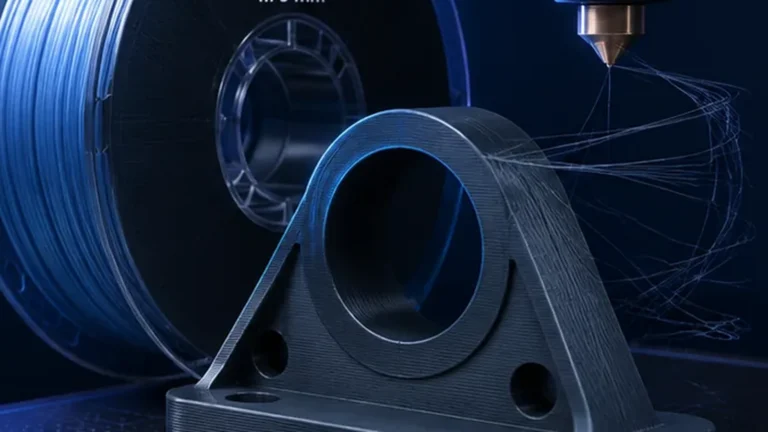
Matte filament can make FDM prints look dramatically smoother because diffuse surfaces hide small layer transitions and reflections. But “matte” is not a standardized material class. The additives that create the finish can also change flow, strength, abrasion, support behavior and temperature response.
Why matte surfaces hide layer lines
Glossy filament creates sharp reflections along every small surface step. Matte surfaces scatter light more diffusely, so the same geometric layer height can look smoother. The layer lines are still there — they are simply less visible.
Matte is not a standardized material class
One manufacturer may use mineral fillers, another may use a modified polymer blend, and a third may rely on pigments or surface additives. Two matte PLAs can therefore behave very differently despite a similar appearance.
Strength: the most common blind spot
Some matte formulations are more brittle or have lower layer bonding than standard PLA. Decorative appearance should not be mistaken for mechanical equivalence. Test functional parts when strength matters.
Recheck Flow Ratio and Max Volumetric Speed
Matte additives can change viscosity. Do not assume the MVS from normal PLA applies. Calibrate Flow Ratio first, then PA and MVS for the actual spool.
Why finish and speed are connected
Surface gloss can change with extrusion temperature and speed. A matte filament may become slightly shinier on slow hot sections or rougher when flow is pushed too hard. Consistent outer-wall speed helps keep the finish uniform.
Temperature: do not judge only by gloss
A lower temperature may look more matte but can weaken layer bonding. Choose temperature by extrusion quality and strength first, then fine-tune appearance within that safe range.
Layer height: matte filament can forgive coarser layers
Because the surface scatters light, 0.20 or 0.24 mm layers may look surprisingly smooth. That can save time compared with using 0.12 mm layers purely to hide visual banding.
0.4 or 0.6 mm nozzle for matte PLA?
A 0.6 mm nozzle can print wider lines and thicker layers efficiently. Matte finishes can visually hide some of the coarser geometry, which makes large decorative parts a good use case. Fine text and small details still favor a smaller nozzle.
Matte filaments and abrasive additives
Not every matte filament is abrasive, but filled formulations can accelerate brass-nozzle wear. Check the manufacturer’s recommendation. If the material contains mineral, carbon or glass fillers, a wear-resistant nozzle may be appropriate.
Matte surface and support contact
Support scars can be less visually obvious on matte surfaces, but the underlying geometry still matters. Dense interfaces, correct Z gap and good cooling remain important.
Moisture still matters
A matte finish can hide some minor surface defects, but wet filament can still produce roughness, bubbles and stringing. Do not mistake moisture-induced roughness for the intended texture.
OrcaSlicer starting profile
- Check material condition and hardware; use an appropriate manufacturer profile.
- Establish temperature under representative conditions.
- Determine Max Volumetric Speed.
- Calibrate Pressure Advance, then Flow Ratio.
- Check retraction as needed; then evaluate finish and cooling.
Use the documented Orca calibration sequence. An attractive matte finish alone does not verify adequate layer bonding. Section checked October 13, 2026.
When matte PLA is especially useful
Large decorative prints, cosplay parts, enclosures and models that will be photographed often benefit from reduced reflections and hidden layer lines. It is also useful when you want a premium appearance without sanding every surface.
When normal or glossy PLA can be better
If maximum strength, sharp color saturation, transparency effects or very predictable high-speed flow matter more than the finish, a standard formulation may be easier to tune.
Matte filament for functional parts
Use data rather than appearance. A matte enclosure may be perfectly suitable; a load-bearing bracket should be tested for the actual formulation’s stiffness and layer strength.
A practical A/B test
Print the same small part in standard and matte filament with identical geometry. Compare layer visibility, wall gloss, break behavior and MVS. This quickly shows whether the matte spool changes more than appearance.
Do not confuse matte, silk, satin and filled filament
Those finishes are created differently. Silk PLA often uses additives that increase sheen and can reduce mechanical performance; filled matte materials may be abrasive. Product names are not material standards.
Why matte colors can flow differently from each other
Pigments and filler loading can vary by color. If one color reaches a lower MVS or needs a slightly different PA value, that does not automatically indicate a printer problem.
Problem: matte surface becomes glossy in patches
Look for local speed or temperature changes. Slow outer-wall sections, small-layer cooling logic or varying flow can change surface sheen. A more consistent visible-wall speed often helps.
Problem: beautiful finish, surprisingly brittle part
Do not compensate blindly with more walls. First verify temperature and layer bonding, then decide whether the material formulation is suitable for the mechanical requirement.
Problem: matte surface becomes rough instead of velvety
Check moisture, flow limitation and partial clogging. Intended matte texture is uniform; random roughness, pits or extrusion inconsistency usually indicate a process issue.
Matte filament and painting
Matte surfaces can provide a visually forgiving base, but paint adhesion still depends on the polymer, surface preparation and coating system. Do not assume “matte” means primer-ready.
HueForge: matte can help, but transmission still matters
HueForge depends heavily on how each filament transmits and reflects light. A matte appearance may reduce reflections, but transmission distance and color behavior still need calibration.
A useful test strategy for a new matte spool
- Check filler/abrasion guidance and material condition.
- Use the documented calibration sequence above.
- Compare representative outer-wall speeds under the same lighting; inspect side lighting too.
- Compare visible bands with the speed/flow preview.
- Inspect layer bonding separately from sheen; functional use needs appropriate verification.
- Consider orientation or variable layer height if stair-stepping remains visible.
Model orientation still matters
Matte filament cannot hide strong stair-stepping on a shallow curved surface. Rotating or tilting the model can move visible stepping to less important areas and may improve appearance more than reducing layer height alone. This is especially useful for helmets, figures, housings and large rounded parts.
Matte PLA and matte PETG are different tuning jobs
| Area | Matte PLA | Matte PETG |
|---|---|---|
| Cooling | Usually tolerates stronger fan | Needs more balance for bonding |
| Moisture sensitivity | Usually moderate | Often more noticeable through stringing/roughness |
| Enclosure | Usually unnecessary | Usually optional |
| Surface tuning | Speed/temperature strongly influence sheen | Same, often with stronger stringing interaction |
Conclusion
Matte filament can hide layer lines beautifully, but the finish comes from a formulation change. Treat it as its own material profile rather than “normal PLA with a different look.”