Miniature figures are often treated as a classic resin topic. Even so, a well-tuned FDM printer can produce surprisingly usable miniatures too—especially when the setup is intentionally built around fine detail. One of the most common questions is: Is a 0.2 mm nozzle worth it for miniatures?
The short answer is: yes, often it is. A 0.2 mm nozzle will not turn a normal FDM printer into a resin machine. But it can make small contours, fine surfaces, readable details, and support contact points look noticeably better—especially for tabletop or display-sized figures.

What exactly does a 0.2 mm nozzle improve?
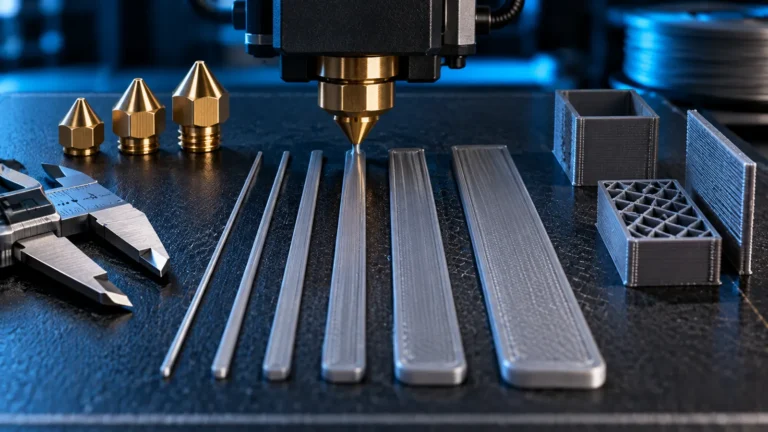
The biggest benefit is not just “more resolution,” but more control over small geometry. Narrower extrusion lines let the slicer describe fine edges, thin swords, faces, fingers, folds, armor ridges, and other miniature features more accurately. The result is often a figure that looks less chunky and less “filled in” than the same model printed through a 0.4 mm nozzle.
- finer outer contours and crisper edges
- smaller details that would otherwise be lost or simplified
- cleaner support interaction, if the support strategy is sensible
- better proportions on small accessories, weapons, and bases
- smoother top and sloped surfaces when layer height and cooling are appropriate
For figures roughly in the 28–75 mm range, the difference is often more noticeable than many users expect.
What a 0.2 mm nozzle does not do
The limitations matter too. A smaller nozzle does not solve every miniature problem automatically.
| Expectation | Realistic answer |
|---|---|
| “0.2 mm makes FDM as good as resin” | No. Resin usually remains superior for the tiniest details and the smoothest surfaces. |
| “I only need to swap the nozzle” | No. Miniatures also benefit from smaller layer heights, appropriate cooling, smart orientation, and well-planned supports. |
| “Smaller is always better” | Not necessarily. Below 0.2 mm, clog sensitivity and print times increase even more. |
| “Every figure will suddenly look perfect” | Only if the printer, material, model geometry, and slicer profile are working together. |
Who benefits most from FDM miniatures with a 0.2 mm nozzle?
- you already have a reasonably well-tuned FDM printer and want better figures without switching to resin,
- you want to improve tabletop miniatures, busts, or terrain details,
- you prefer the simpler FDM workflow without liquid resin, odor, and post-curing,
- you print miniatures mainly for gaming, painting, or display rather than extreme showcase perfection.
A 0.2 mm nozzle also makes a lot of sense when you want more miniature detail but do not want to manage a second printing system next to your FDM setup.
Sensible starting settings for FDM miniatures
There is no single universal profile. For many PLA miniatures, however, the following direction is a practical place to start:
| Setting | Practical starting point | Why it helps |
|---|---|---|
| Nozzle | 0.2 mm | higher detail potential on small features |
| Layer height | 0.08–0.12 mm | finer surface steps and better detail definition |
| Line width | around 0.20–0.24 mm | controlled, predictable extrusion width |
| Outer wall speed | moderate, e.g. 20–35 mm/s | better precision on visible contours |
| Cooling | relatively strong for PLA | small layers can stabilize faster |
| Temperature | toward the lower clean-printing end | less smearing and fewer softened details |
| Seam | intentionally positioned or hidden | seams matter much more on tiny figures |
If you want a structured baseline, our Nozzle, Layer Height & Speed Planner and Filament Calibration Assistant can help as a starting point.
Best material choice for FDM miniatures
For miniature printing, PLA is usually the easiest starting material. It prints cleanly, responds well to cooling, and tends to preserve sharp detail better than softer or stringier materials. PETG can work, but it is more likely to leave fine strings, softer edges, and a slightly smeared look on very small details.
If your goal is clean miniatures with the least friction, a well-behaved PLA or PLA+ in dry condition, combined with a clean nozzle and stable cooling, is usually the easier path.
Orientation and supports often matter even more than the nozzle
A 0.2 mm nozzle only pays off when the miniature is oriented intelligently. Many disappointing FDM miniatures fail less because of nozzle size and more because of bad support strategy or poor print direction.
- Try to keep important visible surfaces away from direct support contact.
- Orient faces and front details so that clean outer walls do more of the work.
- Position long thin parts such as swords or spears so they are not wobbling unsupported for too much of the print.
- Use deliberately small, cleaner support points rather than a few heavy-handed supports.
For miniature figures, testing two or three orientations is often more valuable than blindly trusting a default angle.
Where most of the quality is really won or lost
With FDM miniatures, a handful of setup choices often decide whether the figure looks “surprisingly good” or simply rough:
- good cooling for small layers and delicate overhangs,
- not too much heat, so details do not swell or soften,
- moderate outer wall speeds,
- clean extrusion without partial clogging,
- sensible layer height,
- dry filament.
If miniatures still look poor even with a 0.2 mm nozzle, it is worth checking the 3D Printing Troubleshooter. Common causes include stringing, partial clogging, inadequate cooling, excessive temperature, or a seam position that lands on the wrong face of the model.
Common mistakes when printing miniatures with FDM
| Mistake | Typical result | Better direction |
|---|---|---|
| too much temperature | soft details, smeared edges, stringing | reduce step by step and verify cooling |
| not enough cooling | poor tiny overhangs, soft tips, dull detail | check fan behavior and small-layer handling |
| outer walls too fast | rough contours and lost detail | slow visible walls deliberately |
| poor model orientation | faces or key surfaces covered in support scars | rethink orientation and support placement |
| 0.2 mm nozzle with an unchanged “general purpose” profile | disappointing gain in quality | tune the profile for miniatures instead of only changing the nozzle |
| expecting miracles | unfair disappointment with FDM | treat FDM as a practical alternative, not a literal resin copy |
Is a 0.2 mm nozzle worth using for everyday printing too?
Usually not for general functional printing. A 0.2 mm nozzle becomes most attractive when detail quality matters more than print speed. For large brackets, housings, workshop parts, and other everyday prints, a 0.4 mm nozzle is still the better standard choice. Many users therefore keep both workflows: 0.4 mm for normal printing and 0.2 mm for miniatures, decorative pieces, and finer visual parts.
Practical conclusion: a 0.2 mm nozzle is a real upgrade for FDM miniatures—if expectations stay realistic
A 0.2 mm nozzle is not a gimmick for miniature printing. In many cases it is a meaningful quality step. It can deliver finer details, better proportions, and more convincing figures—as long as the printer, material, cooling, and slicing approach are working together.
If you already print clean FDM parts and want to get more out of miniatures without stepping into resin, the combination of 0.2 mm nozzle, small layer height, good cooling, and intentional orientation is usually the right direction.
Sources & current context
- OrcaSlicer Wiki – line width, speeds, cooling, and general slicer logic
- Prusa Knowledge Base – general references for nozzles, layer heights, cooling, and print quality
- Bambu Lab Wiki – slicing and quality basics in Bambu Studio
Practical baseline: 31 August 2026. Ideal values vary by slicer, hotend, material, and part cooling. The values above are meant as realistic starting ranges, not rigid universal rules.
Frequently asked questions
Is a 0.2 mm nozzle worth it for FDM miniatures?
Yes, often it is. A 0.2 mm nozzle can give miniature figures noticeably finer detail, crisper contours, and better proportions than a typical 0.4 mm nozzle.
Does a 0.2 mm nozzle make FDM as good as resin for miniatures?
No. Resin usually remains ahead for the smallest details and the smoothest surfaces. But 0.2 mm FDM can still produce surprisingly capable tabletop and display miniatures.
What layer height is a good starting point for 0.2 mm miniature printing?
A practical starting range is often around 0.08 to 0.12 mm. Smaller layer heights improve detail and surfaces, but increase print time.
What material is best for printing miniatures with FDM?
PLA or PLA+ is usually the easiest and cleanest choice. PETG can work, but more often shows stringing and softer edges on very small details.
What matters besides nozzle size when printing miniatures?
Orientation, support strategy, cooling, temperature, seam placement, and stable extrusion all matter heavily. The nozzle is only one part of the result.